
Automation software for desktop and web applications

Macro Commander
Take a Tour, Watch Videos
Learn more about Macro Commander automation software
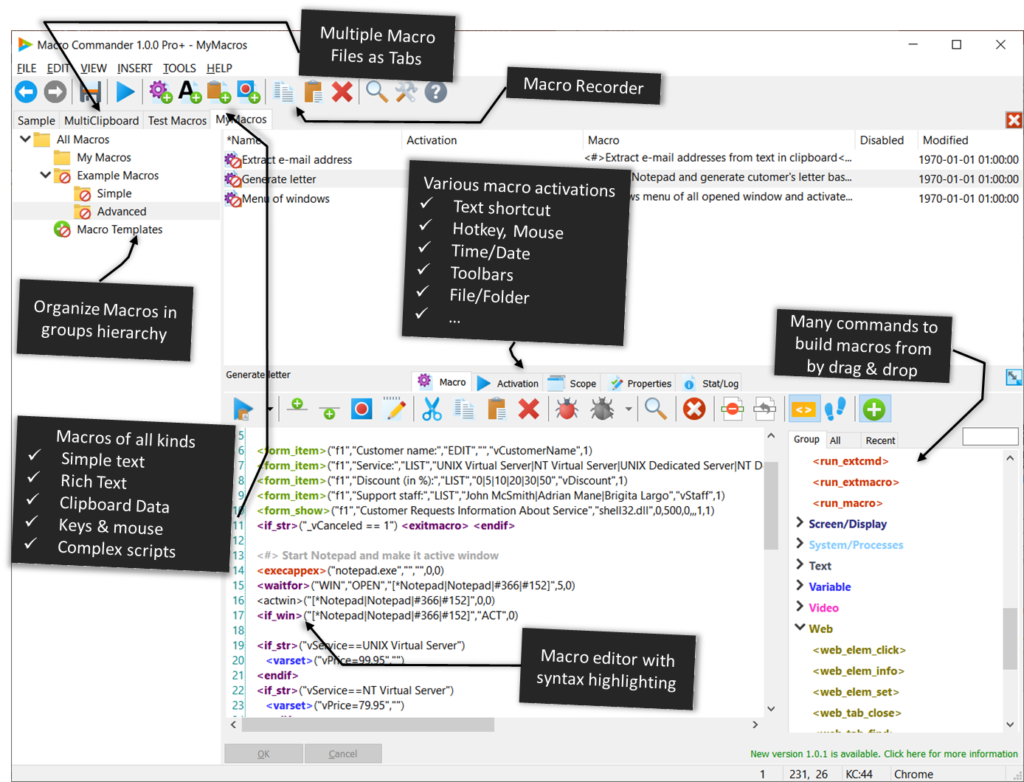
Streamline your workflow with Macro Commander, a powerful Windows desktop automation software designed to eliminate repetitive and complex tasks. This all-in-one solution empowers users to effortlessly create, manage, and activate macros and scripts in order to make manual repetitive tasks automated, fast, and error free.
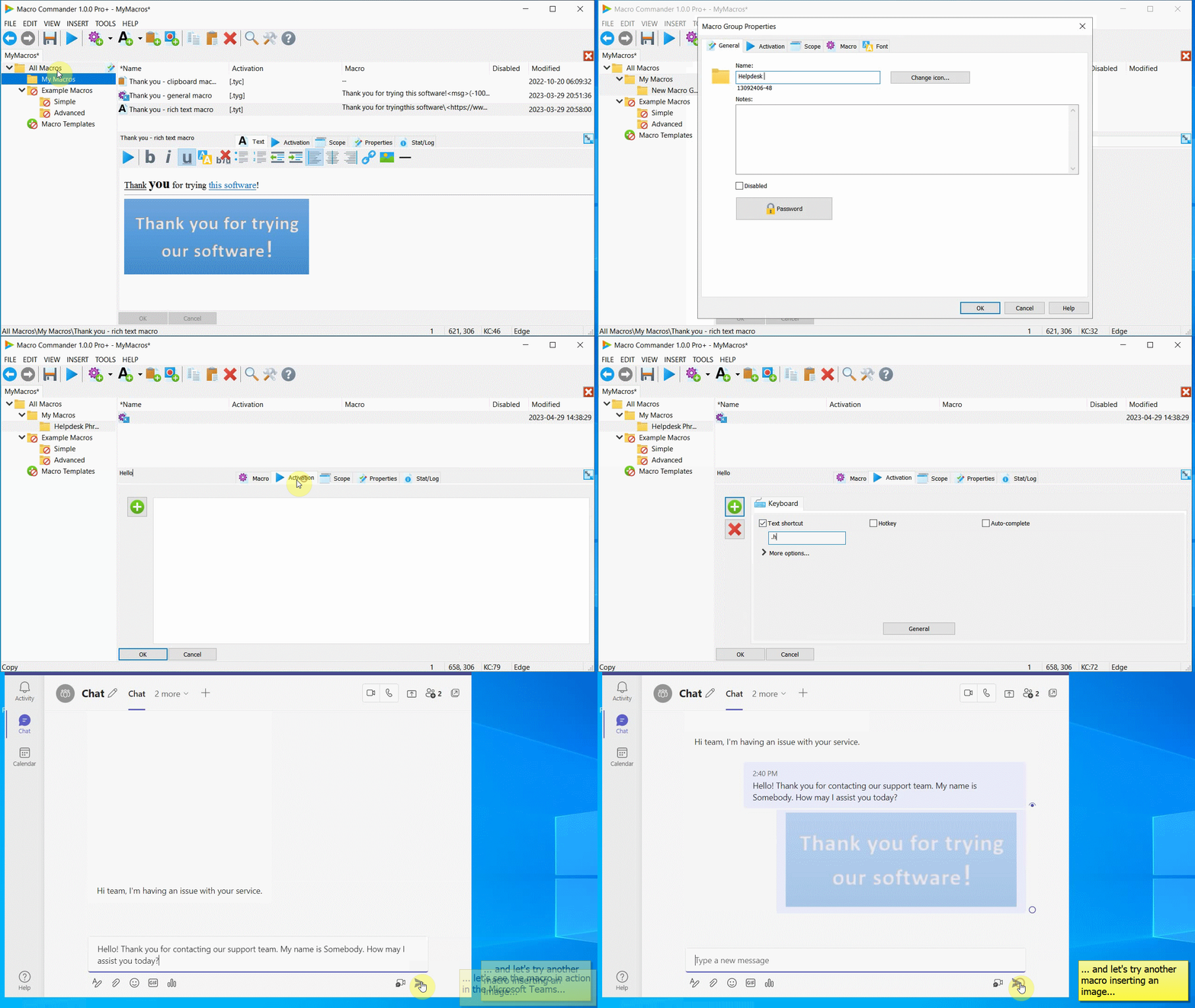
With Macro Commander, you can activate macros using hotkeys, text shortcuts, or mouse clicks, allowing you to insert text, paragraphs, images, or any other data into any application with ease. Say goodbye to manual data entry and let Macro Commander handle the repetitive data entry jobs for you.
Experience the versatility of Macro Commander as it offers a comprehensive set of 300 built-in commands that enable you to perform variety of tasks. Manipulate and utilize files, folders, images, text, clipboard, network resources, web pages, and applications such as Word, Excel, and Excel macros. Take full control of your computer’s display and leverage a wide range of resources at your disposal.
Macro Commander goes beyond the limitations of Windows native applications by seamlessly integrating with web browsers, allowing you to automate web pages and web applications. You can even record web macros to automate your online activities.
Stay organized with Macro Commander’s intuitive interface, which conveniently organizes macros into hierarchical groups. This hierarchical structure supports configuration inheritance, making it easy to manage and maintain your macros efficiently. Additionally, sensitive content can be protected with password security, ensuring that your valuable information remains secure.
Whether you prefer manual macro creation using the feature-rich macro editor with syntax highlighting or opt for the convenience of the integrated smart macro recorder, Macro Commander provides you with unparalleled ease of use. Creating keyboard macros and mouse clicker macros has never been simpler.
Download Macro Commander for free and unlock a new level of productivity today.
This software is replacing Macro Toolworks and Perfect Keyboard products – read more.
Macro Commander Usage Examples
Macro Commander Editions
The Macro Commander is available in multiple editions – Macro Commander Basic, Macro Commander Pro, and Macro Commander Pro+ – that differ in available features and pricing. Download the product and use its free 30-day trial period to evaluate how it fits to your needs.
Macro Commander Basic
Free for personal and commercial use
$0
Macro Commander Pro
Free 30-day trial